 LinkedIn Notes
A Chrome extension that adds private notes and color-coded tags to LinkedIn profiles. All data stays local in the browser, no servers, no accounts, no tracking. Includes a CRM dashboard, quick search popup, and JSON export. Built with WXT + React.
GitHub: prahlaadr/linkedin-notes
Store link: LinkedIn Notes on the Chrome Web Store
The problem
When you are job hunting or networking, LinkedIn is where you meet people, but it gives you nowhere to remember them. Who was this recruiter again? Why did that founder matter? Did I already follow up, or am I about to message them twice? I used to keep that context in scattered docs and in my head, and it fell apart the moment my pipeline grew past a handful of names. LinkedIn Notes puts the memory back on the profile itself.
How it works
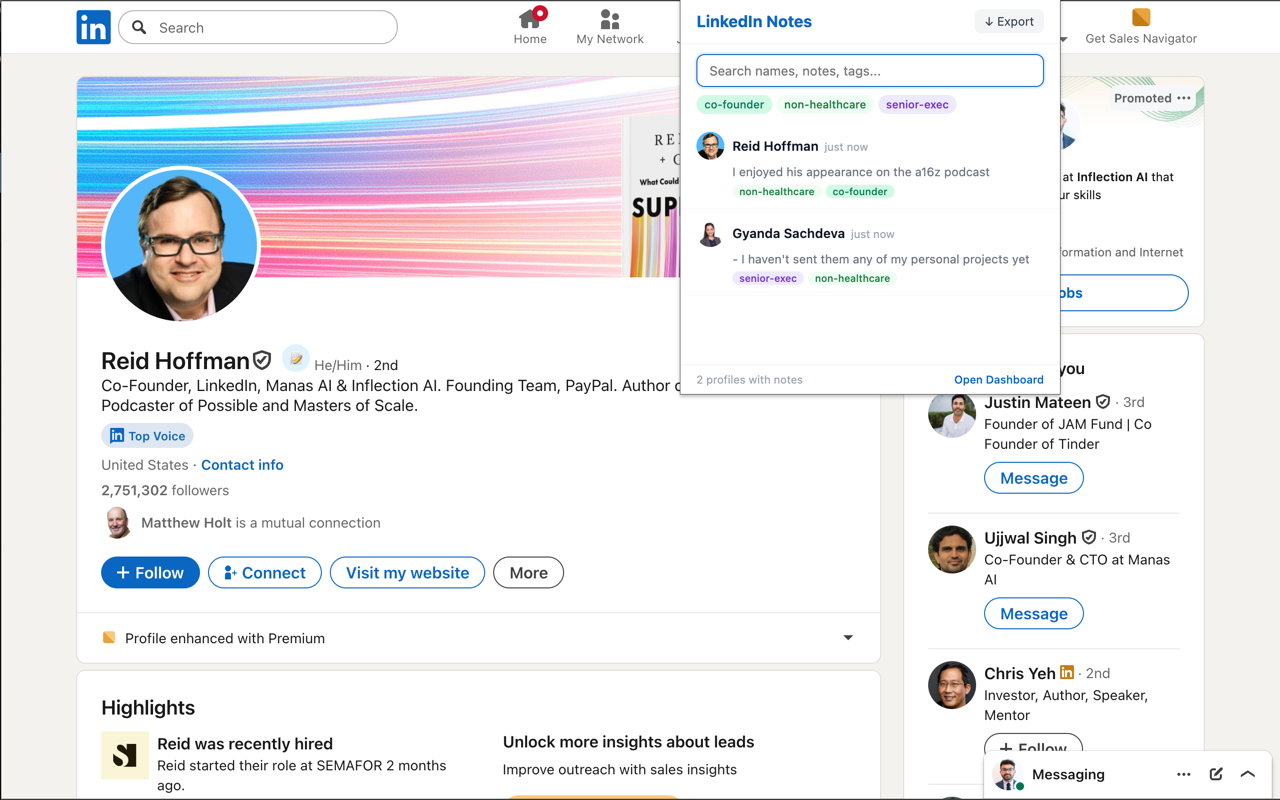
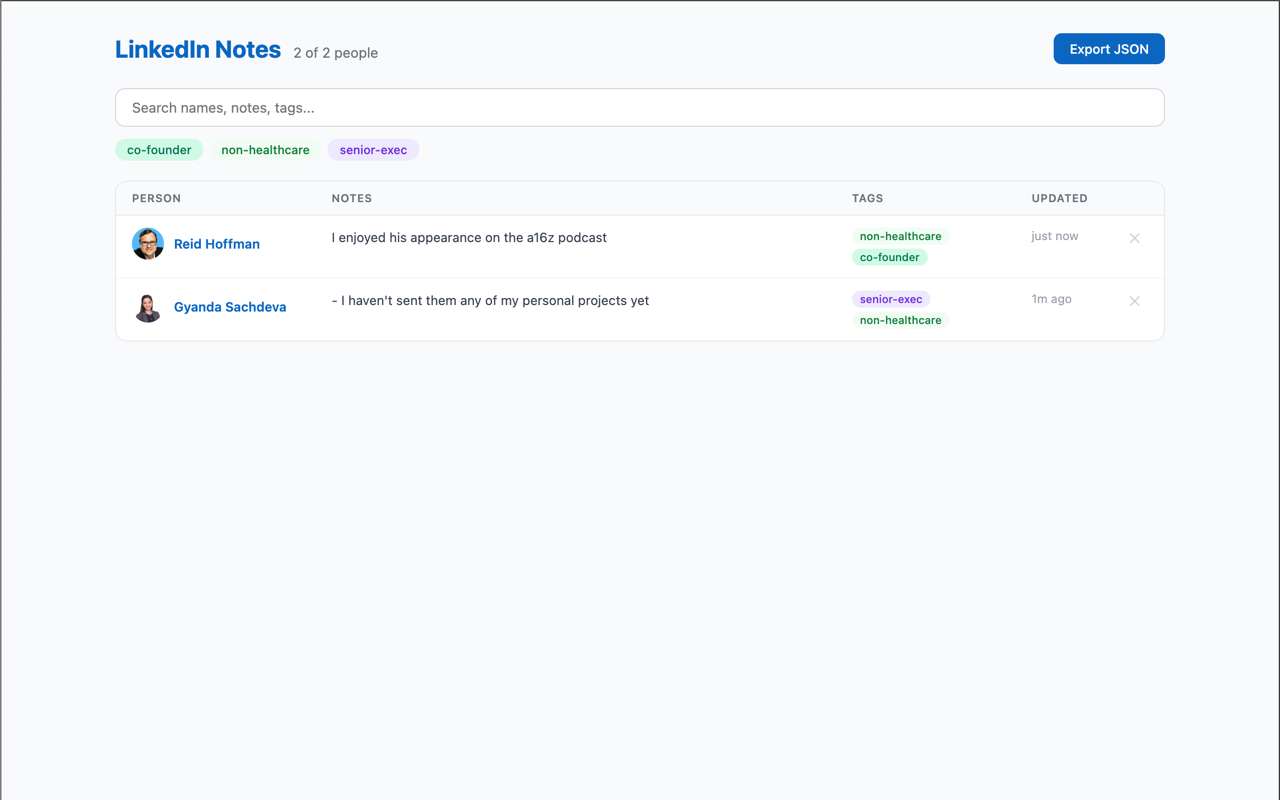
Open anyone's profile and a small note icon appears. Click it, write what you want to remember, and add a tag or two. Tags are color-coded and autocomplete from ones you have already used, so your labels stay consistent instead of turning into fifteen spellings of "recruiter". From then on the note lives on that person. Next time you land on their profile, or they surface in a search, your note is right there waiting. A popup lets you search across everyone you have annotated, and a full dashboard gives you a filterable table of every contact and note, so your LinkedIn quietly becomes a lightweight personal CRM.
How I actually use it
- Job hunting: I tag people by how they fit a search (recruiter, hiring-manager, referral, warm-intro) and note where each conversation left off, so I always know who to nudge next and exactly what to say.
- Networking and follow-ups: right after a call or an event I drop a one-line note (what we talked about, what I said I would send). A week later the follow-up writes itself instead of starting from a blank memory.
- Hiring: when I am the one evaluating people, I keep private notes on candidates and referrers on their own profiles, tagged by role and stage, instead of alt-tabbing to a spreadsheet that never stays current.
The through-line: the note lives exactly where you will see the person again, so context survives the gap between conversations.
Why it is local-only
Every other note-on-LinkedIn tool wants an account and quietly ships your private notes to its servers. These notes are about real people and are often sensitive: who you are courting, what you actually thought of a call. So everything here stays in chrome.storage.local on your own machine. No account, no sign-in, no network calls. And because it is your data, one click exports all of it to JSON whenever you want it out.
Under the hood
- Built with WXT (a modern browser-extension toolkit) and React.
- A content script injects the note UI on profile pages; the popup and dashboard are separate React surfaces reading the same local store.
- Cross-browser by design: Chrome (Manifest V3) and Firefox (Manifest V2).
- Tag autocomplete is seeded from tags you have already used.
- About 143KB total, with zero network requests.